AI Thumbnail Generator with Real Photos
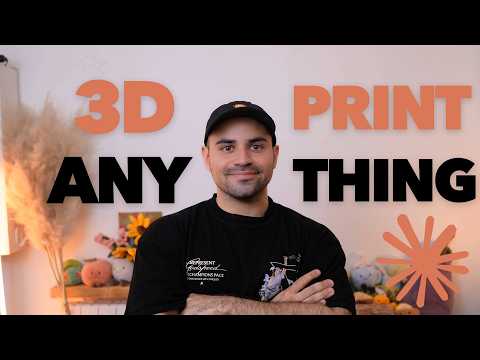
An AI thumbnail generator does not have to invent your face or create a synthetic scene. In this tutorial, I show how to turn one real photograph into a finished 1280×720 YouTube thumbnail while keeping every image pixel tied to the source photo. AI helps build the system and make layout decisions, but the final frame is still your face, your pose, and your photograph.
That distinction matters. A generic image generator can drift away from your identity, change facial details, or make a thumbnail that looks polished at full size but unreadable in the YouTube feed. This workflow treats AI thumbnail generation as a layout and measurement problem instead. It detects the person, removes the background, tests real typography against real pixels, and rejects layouts that fail at feed size.
What this AI thumbnail generator builds
The input is one photograph. The output is one 1280×720 thumbnail in one of two modes:
- Default mode: text sits beside the person and avoids covering the subject.
- Backdrop mode: poster-scale text fills roughly two-thirds of the frame while the person appears in front of it.
Neither mode generates a replacement image. The visual material comes from the source photograph plus rendered type and, optionally, a measured logo placement. The system can use the direction of your pointing hand as another layout signal, so text can sit where the pose naturally leads the eye.
If you first need to decide whether a thumbnail is actually the problem, use the channel diagnosis in How You Can Grow Your YouTube Channel with Claude. That walkthrough separates topic problems from packaging and retention problems before you rebuild anything.
What you need
- One clear source photograph, ideally with the face and pointing hand visible
- Python 3.12
- Claude Code to build and revise the tool
- MediaPipe Tasks API for face and index-fingertip detection
rembgwith theisnet-general-usemodel for the subject cutout- Playwright for browser rendering and measurement
- An APCA implementation for text contrast scoring
MediaPipe 1.0 no longer exposes the old mp.solutions interface used by many examples. Under Python 3.12, use the Tasks API instead. This is a practical compatibility detail, not an optional refactor: code written against the removed interface will not run as shown in older tutorials.
1. Keep the real photograph as the source of truth (0:00)
The first design decision is also the most important: do not ask an image model to redraw the person. The generator may crop, cut out, scale, and position the photograph, but it does not synthesize a new face. Every visual pixel is either from the photograph or from typography rendered on top of it.
This gives the system a simple quality test. If the output changes who the person is, the pipeline has failed. The tool can automate composition without replacing the human at the center of the thumbnail.
That principle also makes the page useful for the AI generated thumbnail query without pretending this is another text-to-image tool. The system is AI-assisted, but the image remains source-preserving.
2. Detect the face and pointing direction (0:27)
MediaPipe reads the source photograph and locates two useful signals:
- the face, which defines the area typography should not accidentally swallow;
- the index fingertip direction, which can indicate where the composition has natural open space.
A pointing pose is not required, but when it exists the generator can use it instead of treating every photograph as a centered rectangle. The person becomes part of the layout logic.
The detector should return coordinates in the same image coordinate system used by the renderer. Converting between differently scaled canvases invites subtle placement errors, especially when the final thumbnail is later reduced for feed testing.
3. Remove the background with rembg (0:27)
The cutout stage uses rembg with isnet-general-use. Its alpha mask separates the person from the original background, which unlocks both composition modes:
- Default mode can reserve subject-free zones for text.
- Backdrop mode can place large type behind the person, then composite the cutout in front.
Keep the alpha mask. It is not only a visual asset; it is also a measurement input. Later, the text scorer multiplies the glyph mask by 1 - subject alpha, so letters hidden behind the person do not count as readable text.
Without that correction, a layout could claim that 90% of the headline passes contrast even when an important letter disappears behind the subject.
4. Render and measure the same page with Playwright (1:31)
The tool renders the thumbnail as HTML and CSS, then uses Playwright to capture it. The crucial rule is that every measurement comes from that same rendered page.
Do not calculate text dimensions in one environment and export in another. Different font metrics, line breaks, and scaling rules can make the score describe a layout that is not the file you ship. The glyph mask used for contrast scoring should come from the exact browser output that becomes the final image.
This keeps the pipeline inspectable:
- place the photograph and cutout;
- render candidate headline positions;
- read the actual glyph pixels;
- score those pixels against the photograph beneath them;
- capture the winning page at 1280×720.
5. Score typography against the real pixels with APCA (2:21)
Readable type is not the same as a white box behind text. The generator tries several positions and evaluates the actual pixels beneath each glyph with APCA.
The prompt uses an APCA target of Lc 45 to 60 at feed size, rather than applying a body-text threshold of 75 to display type. It then looks for a candidate where 90% of the text area passes. For each candidate, the tool compares dark and white type and keeps the stronger option.
A scrim is a fallback, not the default. Add one only when neither dark nor white text can pass on the bare photograph. This keeps the output closer to the source image and avoids the heavy boxed-text look that automatic thumbnail tools often produce.
6. Default mode: keep type away from the person (3:21)
Default mode treats the person as protected space. Before fitting the headline, carve each candidate text box down to the area that does not intersect the subject.
The order matters. If the tool autofits first and masks later, the headline may expand across the full box and then lose letters behind the person. Fitting inside the subject-free area prevents that failure.
After the aggregate 90% contrast check, inspect letters individually. A total score can look acceptable while one short word or one critical letter disappears into a noisy patch of the photograph. Default mode should reject that candidate and try another position.
This mode works best when the source photo already leaves useful negative space beside the subject.
7. Backdrop mode: make typography the set (3:21)
Backdrop mode uses the headline as part of the scene. The type grows to poster scale, roughly two-thirds of the frame, and the cutout sits in front.
Interruption is intentional here, so the rules differ from Default mode:
- do not apply the same per-letter rejection just because the subject overlaps the headline;
- allow the person to cover part of the large background type;
- define a must-read phrase and render it on its own span;
- score that phrase separately so the essential words remain legible;
- do not add a scrim;
- measure logo clearance rather than placing a logo by eye.
Growing the logo mask slightly before collision testing helps near misses count as crowded. A logo that technically clears the subject by one pixel can still look cramped in the finished frame.
8. Re-test at 168px before exporting (3:44)
A 1280×720 thumbnail can look excellent while you are editing and fail when YouTube displays it in a feed. The final gate is therefore a second measurement at 168px wide.
Shrink the composition, render it again, and re-run the readability check. If the title stops reading at that size, move it and try another candidate. Do not assume that a high-resolution pass survives reduction.
This is the practical difference between designing a poster and designing YouTube packaging. The audience usually sees the small version first.
Copyable build prompt (1:31)
The following prompt preserves the technical instructions from the video while formatting them for reuse:
Build a local Python tool that takes one photo and outputs a 1280×720 thumbnail. Do not generate a replacement image. Every visual pixel must be the photograph or type drawn over it.

Use the MediaPipe Tasks API to detect the face and index-fingertip direction. Use rembg with isnet-general-use for the subject cutout. Render through Playwright and take every measurement from that same rendered page, so the glyph mask you score is the file you ship.

Place type by scoring the real pixels under the glyphs with APCA. Display type at feed size needs Lc 45 to 60, not 75. Try several positions, keep a candidate where 90% of the text area passes, and compare dark with white type. Add a scrim only when neither works on the bare photograph. Multiply the glyph mask by 1 - subject alpha so hidden letters do not count as readable text.

Create two modes.

Default mode: type avoids the person. Carve each candidate box down to its subject-free space before autofitting. Check letters individually because one can disappear even when the total score says 90% passes.

Backdrop mode: type becomes the set. Use poster-scale text across roughly two-thirds of the frame and place the person in front. Overlap is intentional, so omit the per-letter test. Let me nominate a must-read phrase, render it in a separate span, and measure it separately. Do not use a scrim. Place a logo by measurement and grow its collision mask so near misses count as crowded.

Finally, shrink the result to 168px and measure again. If it is no longer readable, move the text and retry.

Target Python 3.12. MediaPipe 1.0 uses the Tasks API rather than mp.solutions.
Common failure modes
The face looks different
The workflow has drifted into synthetic image generation. Return to the source-preserving rule: crop and composite the real photograph rather than asking a model to recreate it.
The text score passes but a word is unreadable
An aggregate score is hiding a local failure. In Default mode, inspect letters individually and remove subject-covered glyph pixels from the score.
The layout works at full size but fails in the feed
The 168px gate is missing or runs against a different render. Resize the same browser output and measure again.
The old MediaPipe example does not run
Replace mp.solutions code with the MediaPipe Tasks API and test under Python 3.12.
Does the local generator add a watermark?
No hosted generator is involved, so the workflow does not add a service watermark. You can still place your own logo, and the same collision measurement should keep it clear of the subject and headline.
Where this fits in a YouTube system
A thumbnail tool fixes packaging, not topic selection or retention. The broader workflow in How I'm Building an AI-Native YouTube Channel shows how ideation, filming, editing, uploads, thumbnails, and analytics connect around the creator rather than replacing them.
If you want to build a similar source-preserving production tool for your own team, Genial's AI implementation and process automation service covers custom systems that connect to existing workflows, document the handover, and keep human review where it matters.