AI Thumbnail Generator with Real Photos
Par Miguel Torrez, fondateur de Genial Agency
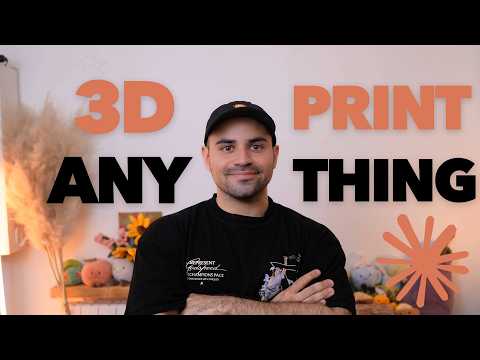
You will have a local Python tool, built by Claude Code from one prompt, that turns a real photo of you into a 1280x720 thumbnail with readable text and no AI-generated imagery.
The two modes
| Default mode | Backdrop mode | |
|---|---|---|
| Where the text goes | Where you point, avoiding you | Behind you, poster scale, about two-thirds of the frame |
| Photo to use | A photo of you pointing at something | Any real photo of you: the tool cuts you out |
| Readability check | Every letter is checked, since one letter can hide behind you | You nominate one must-read phrase, measured on its own |
| Scrim behind the text | Only if neither dark nor white text reads on its own | None |
Where the text goes
- Default mode
Where you point, avoiding you
- Backdrop mode
Behind you, poster scale, about two-thirds of the frame
Photo to use
- Default mode
A photo of you pointing at something
- Backdrop mode
Any real photo of you: the tool cuts you out
Readability check
- Default mode
Every letter is checked, since one letter can hide behind you
- Backdrop mode
You nominate one must-read phrase, measured on its own
Scrim behind the text
- Default mode
Only if neither dark nor white text reads on its own
- Backdrop mode
None
Both modes then shrink the thumbnail to 168px and measure again. If the text stops being readable, the tool moves it and tries again.
Ce qu'il vous faut
A real photo of yourself (pointing at something works best for the default mode)
Claude Code, or another AI tool such as Claude Cowork, ChatGPT or Codex
A Mac or Windows computer (the AI installs Python and the other dependencies)
Étape par étape
Start from a real photo of you
Take or pick a photo of yourself. The tool never generates images: every pixel in the thumbnail is your photo or text drawn on it. If you want text or a logo to appear in your hand, point your finger where it should go.
Know what the tool does with it
MediaPipe detects where your face points and where your index fingertip is. IS-Net (through rembg) cuts you out of the image, which gives the depth effect. Then the text or logo is placed either where you point or right behind you, depending on the mode.
Understand the readability loop
Thumbnails are shown very small, so the tool checks whether the text contrast is good enough for people to read. If it is not, it keeps looping (moving the text and trying again) until it gets a readable result.
Open your AI coding tool
Open Claude Code. You can also use Claude Cowork, ChatGPT or Codex: in my experience, any of them works.
Paste the prompt
Paste the improved prompt from the description. It builds the system with both modes at once: text beside you, or poster-scale text behind you.
Prompt from the videoBuild a local Python tool: one photo → a 1280×720 thumbnail, no image generation: every pixel is the photo or type drawn on it. MediaPipe for the face and the index-fingertip direction, rembg isnet-general-use for the cutout. Render through Playwright and take every measurement from that same page, so the glyph mask you score is the file you ship. Place type by scoring the real pixels under the glyphs with APCA (display type at feed size needs Lc 45–60, not 75). Try several positions, keep one where 90% of the text area passes, pick dark or white, scrim only if neither works bare. Multiply the mask by 1 − subject alpha so hidden letters don't count as text. Two modes. Default: type avoids the person. Carve each candidate box down to its subject-free space first or the autofit grows the headline across them, and check letters individually, since one can be swallowed while the total still reads 90%. Backdrop: type is the set: poster scale, two-thirds of the frame, person in front. Interruption is the point, so drop the per-letter test; let me nominate a must-read phrase instead, inked on its own span so it's measured separately. No scrim. Place a logo by measurement, growing its mask first so near-misses count as crowded. Then shrink to 168px and re-measure. If it stops being readable, move the text and try again. MediaPipe 1.0 dropped mp.solutions: Tasks API, Python 3.12.
Let it build and install everything
Let the AI write the code and install the dependencies it needs, such as Python. This works whether you are on a Mac or on Windows.
Run a test on your own photo
Ask it to run a test using a photo that is already on your computer. Check the thumbnail it produces, including any logo placement (my test put the Anthropic logo below my text).
Pick the mode for each thumbnail
Use the default mode when you point at something and want the text to appear there. Use the backdrop mode to cut you out and put large text behind you for the depth effect.
Points d'attention
MediaPipe 1.0 dropped mp.solutions: the prompt tells the AI to use the Tasks API with Python 3.12, so keep that last line when you paste it.
Text that reads fine at full size can fail at feed size. The tool shrinks the thumbnail to 168px and re-measures, so do not skip that step if you edit the prompt.
In the default mode, one letter can be hidden behind you while the total still passes 90%, which is why the prompt checks letters one by one.
The first build may only cover one mode (my first version had to add a second). Use the improved prompt, which asks for both modes at once.
Questions fréquentes
Does this tool generate AI images?
No. Every pixel in the thumbnail is your real photo or text drawn on it.
Which AI tool can build it?
I use Claude Code. Claude Cowork, ChatGPT or Codex also work in my experience: paste the prompt and let it build.
Do I need to know Python?
No. The AI writes the code and installs Python and the other dependencies itself, on Mac or Windows.
Why does the tool check the thumbnail at 168px?
Thumbnails are shown very small in the feed. Text that reads at full size can fail at feed size, so the tool shrinks the thumbnail and measures again.
What size are the thumbnails?
1280x720, the YouTube thumbnail size.